
Most AI demos don’t fail because of the model. They fail because they produce free text - when the application actually needs contracts. As soon as a model does more than answer nicely in a chat window and starts triggering product logic, good prompts alone aren’t enough anymore.
AI full-stack engineering starts where model output becomes part of the system - that is, where I need a contract, evaluation and observability.
Repo: https://github.com/rubenvitt/plan-from-issue
Finished web app: https://plan-from-issue.pages.dev/
The setup: our example
To make all of this a bit more concrete, I want to start with an example: a mini web app that turns a GitHub issue or any ticket text (e.g. from Jira or GitLab) into a structured implementation plan. For that, I start with a target structure that I’ll use to explain an AI full-stack feature.
{
  "summary": "string",
  "affectedAreas": ["frontend", "backend", "database", "infra"],
  "risks": ["string"],
  "implementationSteps": ["string"],
  "testIdeas": ["string"],
  "requiresApproval": true
}
With this structure in place, it’s easy to have a web app generated that presents different implementation plans in a sensible way - in this case, Claude Code built it for me.
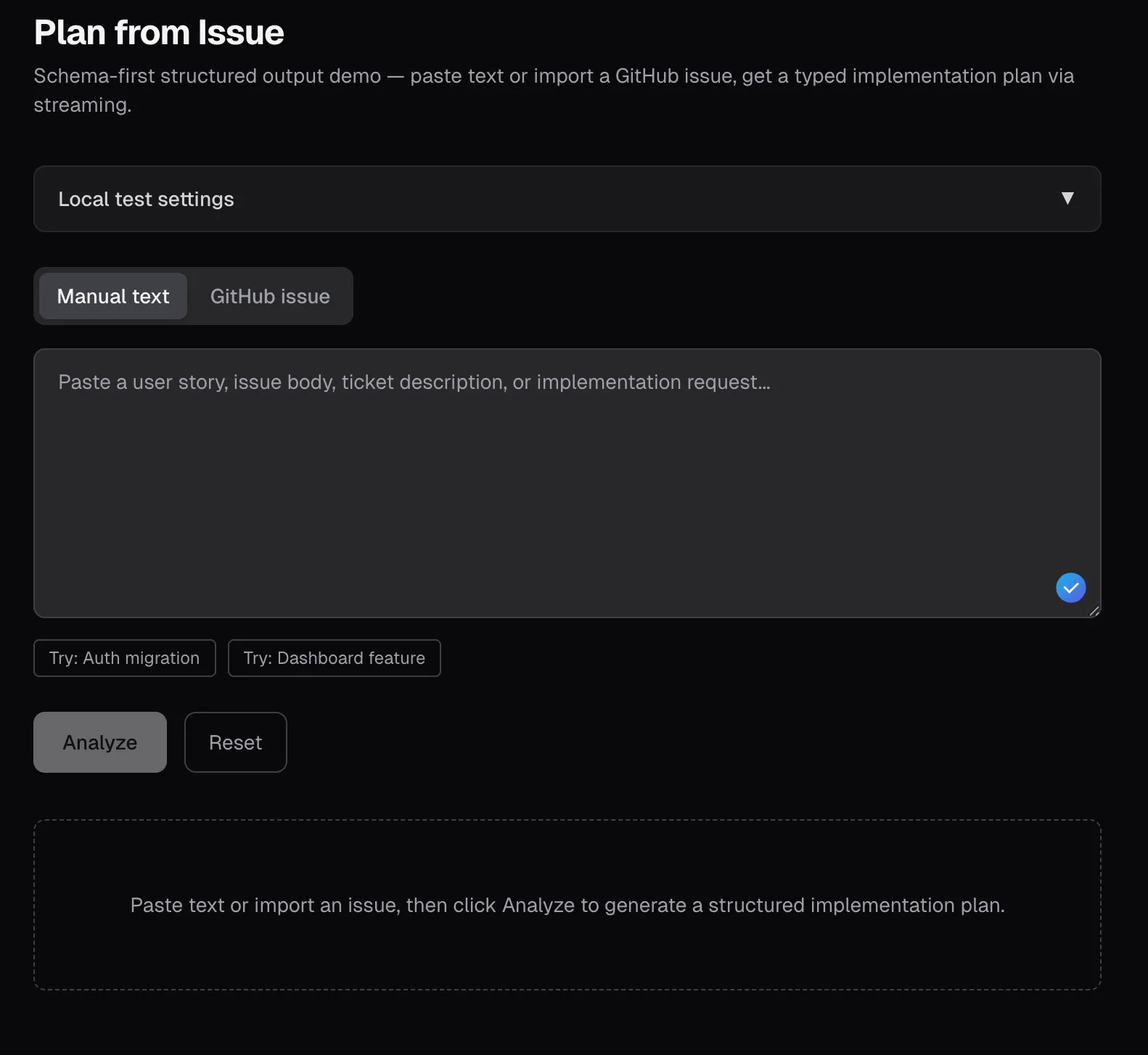
In the resulting web app, the user can paste an issue into the text box or fetch it from GitHub - and have it displayed in structured form. Sure, it’s a really simple, somewhat off-the-cuff use case, but the principles and concepts apply to more sophisticated UIs too - this one just makes them easy to follow.
Contract-first instead of prompt-first
For the example above, I simply had Claude build everything in one go - so technically, we’re done here. The app works (based on a prompt ChatGPT wrote).
Generated prompt used to build the demo
You are a senior TypeScript engineer. Build a small but polished demo web app that showcases schema-first AI output using the Vercel AI SDK.
Do not ask follow-up questions. Make reasonable choices and implement the full app end-to-end. Do not leave placeholders or stubs. Keep the code compact, readable, and suitable for a public demo repo / blog post.
Goal
Build a mini web app that turns either:
- freeform story / ticket text
- a GitHub issue
into a structured implementation plan.
The point of the app is to demonstrate that the AI feature is contract-first, not chat-first.
Stack
Use:
- Next.js App Router
- TypeScript
- AI SDK
- AI SDK UI
- Zod
- @ai-sdk/openai
- minimal styling only (simple CSS or Tailwind is fine)
- no database
- no authentication system
- no server-side persistence
Non-negotiable AI SDK architecture
Use these exact patterns:
- shared Zod schema imported by both client and server
- streamText + Output.object(…) in the route handler
- experimental_useObject on the client
- createOpenAI(…) to instantiate the provider with a request-specific API key
- custom request headers from the client to the analyze route
- no plain-text fallback mode for the main analysis flow
- do not use useChat for the main experience
This app is object-generation first, not chat first.
Core JSON contract
The app must use this exact top-level JSON shape and these exact property names:
{ "summary": "string", "affectedAreas": ["frontend", "backend", "database", "infra"], "risks": ["string"], "implementationSteps": ["string"], "testIdeas": ["string"], "requiresApproval": true }Implement it as a shared Zod schema and export the inferred TypeScript type.
Schema requirements:
- summary: non-empty string
- affectedAreas: non-empty array of unique enum values, restricted to: frontend, backend, database, infra
- risks: array of strings
- implementationSteps: non-empty array of strings
- testIdeas: non-empty array of strings
- requiresApproval: boolean
Do not parse model text with regex. Do not accept “almost matching” output. The UI and server must rely on schema-validated structured output.
But let’s take a few steps back. Normally, I don’t build something just to fill it with AI. Instead, I want my data processed and integrated into the UI in a smart way. There are countless articles about that online already, and AI handles that part for me just fine.
The core point, though, is this: the contract comes first, then the prompt. I need to know what data I have to extract in structured form before I move on to writing and polishing my prompt. That means doing the kind of engineering groundwork we already knew from the pre-AI era.
- Which fields do I want to extract from the unstructured data?
- Which fields are required? Which are optional?
- What value ranges apply to numbers and strings? Are there enums?
- Where should I limit the output so it stays usable in the UI or the pipeline?
Depending on the programming language, different frameworks help with this. In one of the more modern ecosystems like TypeScript, the AI SDK is an obvious candidate. Java has Spring AI, and other languages surely come with similar tooling. These frameworks unify communication with different model providers, so I don’t have to tie myself directly to vendors and their APIs. In this article, I’m focusing on TypeScript and the AI SDK.

The big advantage of frameworks like these is that they unify the individual providers’ APIs and make common features easy to configure the same way everywhere - structured outputs, for example, which is exactly what we need.

To build this contract, you usually need a schema - mostly JSON Schema. A JSON Schema describes the contract for a piece of JSON: which fields are required? What regex do their values have to match? Number ranges, and so on. To create or validate a JSON Schema, we can use tools like https://json.ophir.dev/. Or ask an AI to create a JSON Schema that fits our needs.
The most important part of my AI feature isn’t the prompt, it’s the contract the rest of the application expects from the model’s response.
With the contract in hand, generated or hand-written, we can get to work on a matching prompt. The response will then either match the contract - or an error contract we have to handle separately, e.g. OpenAI’s refusal.

Evals instead of gut feeling
If you build an AI feature without evals, you’re testing on your users.
As described above, Claude built me a working web app in one shot. If I enter the issue https://github.com/rubenvitt/bluelight-hub/issues/420 as an example, I get structured output:
{
  "summary": "Implement a Verpflegungsmanagement feature under the Betreuung area to manage feeding locations, meal planning, and distribution tracking for Einsatzkräfte and Betroffene. The change includes frontend views on the specified route and backend CRUD plus integrations for planning quantities and recording consumption.",
  "affectedAreas": [
    "frontend",
    "backend"
  ],
  "risks": [
    "Integration dependencies on Kräfte-, Betroffene-, Logistik-Modul, and Lagekarte may block parts of the feature or require fallback handling.",
    "Quantity estimation can become inconsistent if personnel and affected-person counts are unavailable, delayed, or separated differently than expected.",
    "Tracking meal status and portion counts across multiple Ausgabestellen introduces risk of incorrect state transitions or double counting.",
    "Capturing Sonderbedürfnisse must stay usable in the UI while still being detailed enough for planning."
  ],
  "implementationSteps": [
    "Add backend CRUD support for Verpflegungsstellen with fields for name, location, type, capacity, opening/output times, and responsible personnel.",
    "Add backend CRUD support for Mahlzeiten including time, type, estimated quantity, assigned Ausgabe-/Verpflegungsstelle, separated counts for Einsatzkräfte and Betroffene, Sonderbedürfnisse, and status values Geplant, In Zubereitung, Ausgabe, Abgeschlossen.",
    "Implement backend logic for quantity estimation based on the provided formula using counts from Kräfte and Betroffene where available.",
    "Add backend endpoints or service integration for recording consumption data per Mahlzeit and Ausgabe-/Verpflegungsstelle: issued portions, beverage consumption, remaining quantities, and material consumption for Logistik handoff.",
    "Build the frontend page at /app/einsatz/$einsatzId/betreuung/verpflegung with management views for Verpflegungsstellen and Mahlzeiten.",
    "Implement Verpflegungsstellen cards showing key details and current status, with create/edit/delete flows.",
    "Implement a Mahlzeiten timeline that separates planned, current, and past meals and supports status updates through the defined lifecycle.",
    "Add meal planning UI for time, type, quantity estimate, separated person counts, special needs, and assigned distribution point.",
    "Implement quick-entry controls for portion output using +/- counters and forms for beverage usage and remaining quantities.",
    "Add a dashboard view showing supply coverage as x% versorgt based on planned vs. served data.",
    "Integrate map marking of Verpflegungsstellen on the Lagekarte from the route workflow.",
    "Connect quantity planning to personnel counts from Kräfte and affected-person counts from Betroffene, and send recorded material consumption to Logistik for replenishment workflows."
  ],
  "testIdeas": [
    "Create, update, list, and delete Verpflegungsstellen with all required fields and verify they appear correctly in the management UI.",
    "Plan a Mahlzeit with separated counts for Einsatzkräfte and Betroffene and verify the estimated quantity follows the specified calculation.",
    "Verify meal status transitions from Geplant to In Zubereitung to Ausgabe to Abgeschlossen are reflected correctly in the timeline and detail views.",
    "Record portion output for a meal at a specific Verpflegungsstelle with +/- quick entry and confirm totals persist correctly.",
    "Record beverage consumption, remaining quantities, and material consumption and verify the data is stored and associated with the correct meal and location.",
    "Enter Sonderbedürfnisse such as allergies, vegetarian, halal, and confirm they are retained and visible in planning views.",
    "Verify Verpflegungsstellen are shown on the Lagekarte with the configured location.",
    "Test integration behavior when Kräfte or Betroffene counts are available versus unavailable, ensuring quantity estimation degrades predictably.",
    "Verify the dashboard coverage percentage updates as portions are issued.",
    "Confirm material consumption data is handed off correctly to the Logistik integration path."
  ],
  "requiresApproval": false
}
40 lines of output. LGTM. Done.
Or… not?
The question isn’t whether the answer sounds “smart”, it’s whether it’s reliable enough for my workflow.
How do I know the result is a good result? How do I know I can trust it? The contract gives me a structural guarantee. Whether the content holds up is a different question entirely. So the questions that matter most are about the substance: were the affected areas identified sensibly? Are the risks useful? Can I actually use the test ideas - or is it pointless nonsense? Is the approval flag plausible? One way to answer these questions thoroughly is to go through every single response - and answer and rate them myself. Then I can adjust the prompt and rate again. But my honest opinion on that? I don’t want to, no! I really can’t be bothered.
And yes, there is an alternative. Several, actually. OpenAI has its own optimizer, but there are also plenty of open-source tools. One example would be https://github.com/promptfoo/promptfoo.
To keep the demonstration simple, I went with the OpenAI Platform here. An evaluation is set up quickly there: create a prompt (important: with a variable!), create a new dataset in the Evaluation tab, then add test data. I simply grab a few of my issues from the bluelight-hub project - then click play, and the prompt runs against the list of inputs (careful: this costs money).
OpenAI already helps a lot here; almost everything can be revised automatically right there, and our JSON Schema can be generated too. I just pasted the Zod schema from the example project in there - and it generated the matching JSON Schema…. perfect.
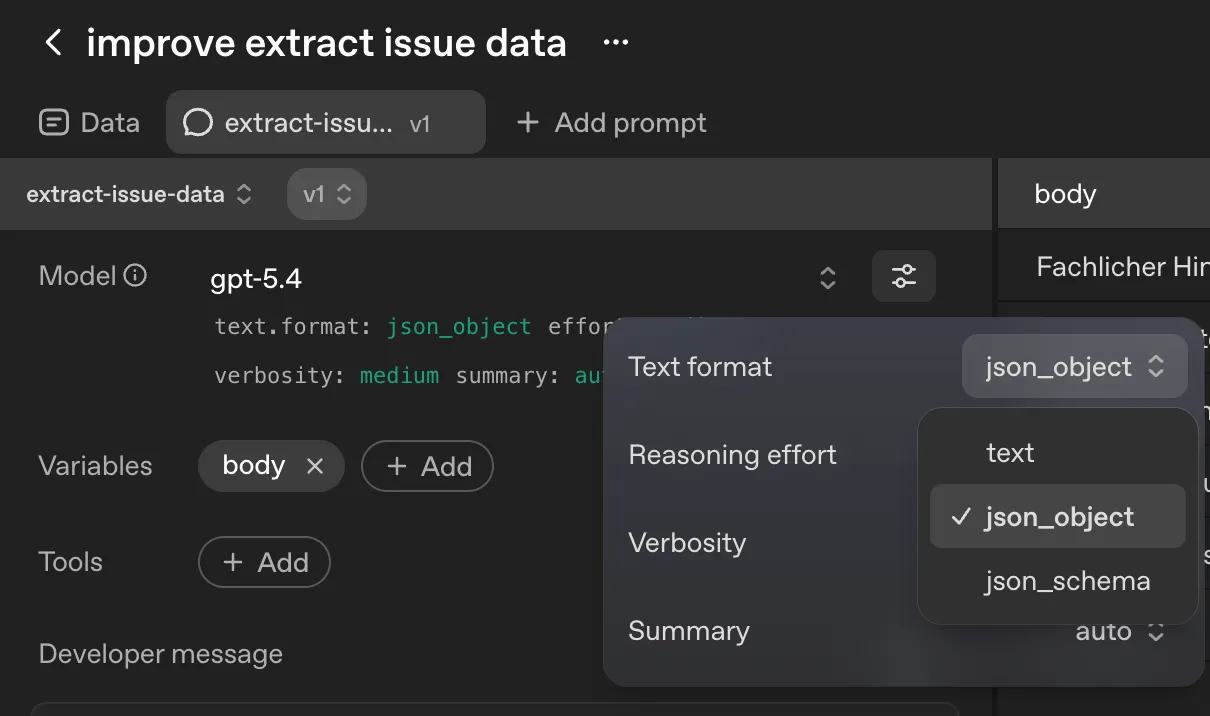
The advantage? We now have several columns in our eval view and can read each generated value directly and decide what to do with it.
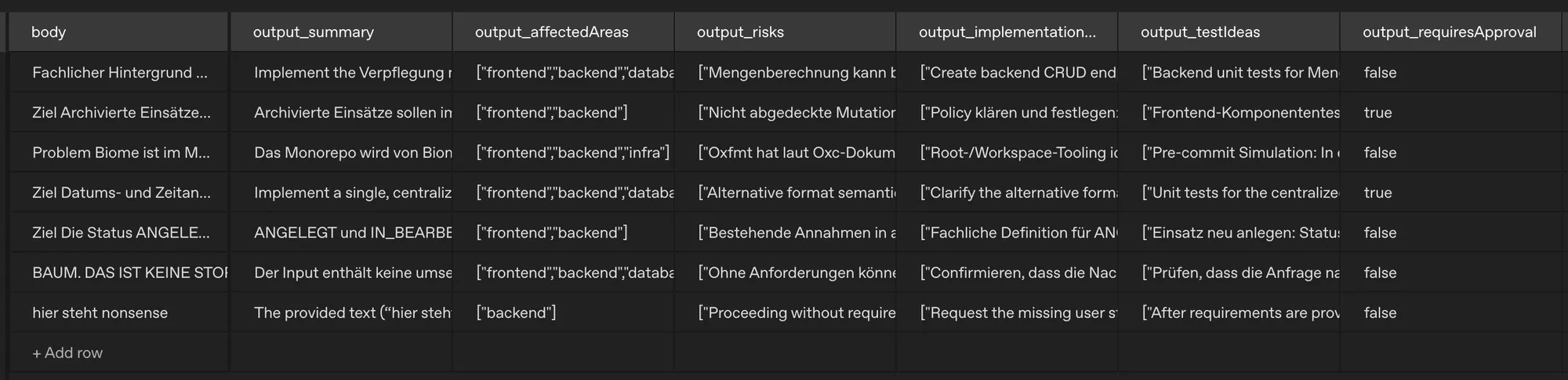
Now we can start with the actual evaluation: add new columns either for manual review (annotation) - or let the AI review, check and rate the individual responses (grader), according to our criteria.
After a first evaluation against two criteria, it becomes clear: our prompt needs some rework. What to do? In this tool, one click on Optimize is enough - and OpenAI takes care of the rest, based on the ratings from the prompt evaluation.
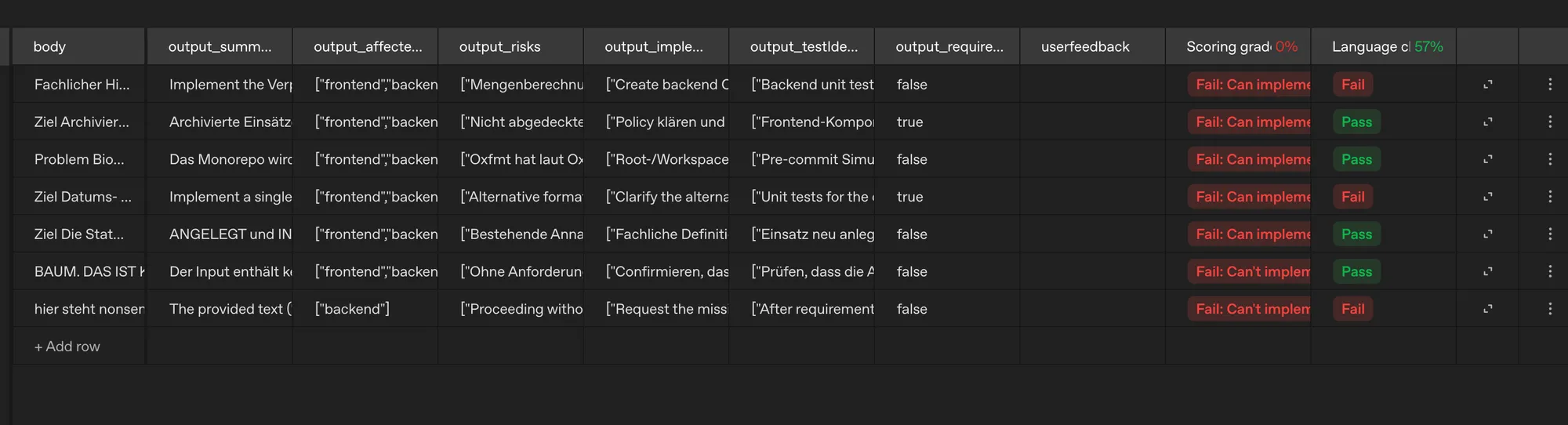
After a bit more optimization and one manual adjustment (via prompt), the result got a little better. Sure, this is a really small evaluation set - I’m more interested in the concept itself here; I also skipped manual feedback this time, even though it’s normally part of the process if you want meaningful results in the end.
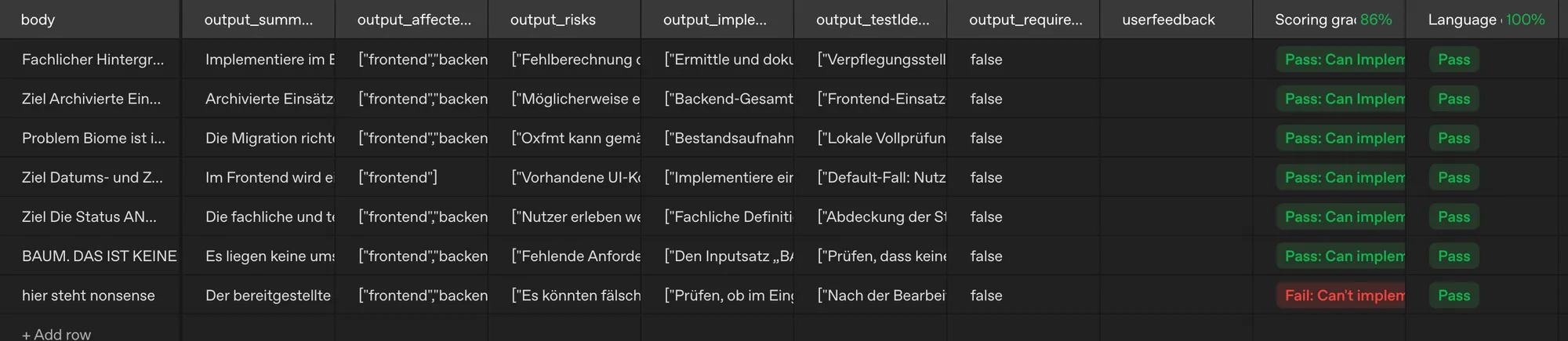
With this great result in hand, I go straight to Claude and ask it to update the prompt with the new one.
So now we have an improved prompt that covers our requirements better. With the structured output, we build UI instead of plain text output. So much for the quick look. There’s so much more to discover, optimize and refine here.
But the basic principle of an eval should be clear by now: define goals, collect a dataset from examples and possibly expected results, set metrics, compare runs, have them evaluated.
Observability instead of a black box
When we build non-deterministic systems into our applications, it’s all the more important to understand what happened when something breaks, so we can find a way to mitigate exactly that. That takes a few important data points we ideally want to collect:
- which model was used?
- how long did the LLM take to respond?
- was the returned JSON valid against the contract?
- were retries needed?
- if applicable: which tools were used?
- where did humans have to step in?
- how many tokens were used, and what did they cost?
OpenTelemetry now has conventions for GenAI applications covering events, metrics and spans. That means AI features can be wired into observability as well. The AI SDK mentioned above also has a connector that captures and exports this data automatically through the framework.

The full-stack part is the UI, not just the model
It only becomes a full-stack topic when I’m not just calling a model but designing an interaction flow for humans.
So we’ve agreed on a reasonable contract with the LLM, we communicate it via the API, and we’ve built a really great prompt. What’s missing? Right, the UI. At the start of the post I already hinted at it: anyone can just display a bit of text. Even after the one-shot attempt with Claude, it wasn’t a chat interface, but it was still just text after text. Admittedly, we’re in somewhat dry territory here - an implementation plan for stories - but surely we can make the presentation look good, right?
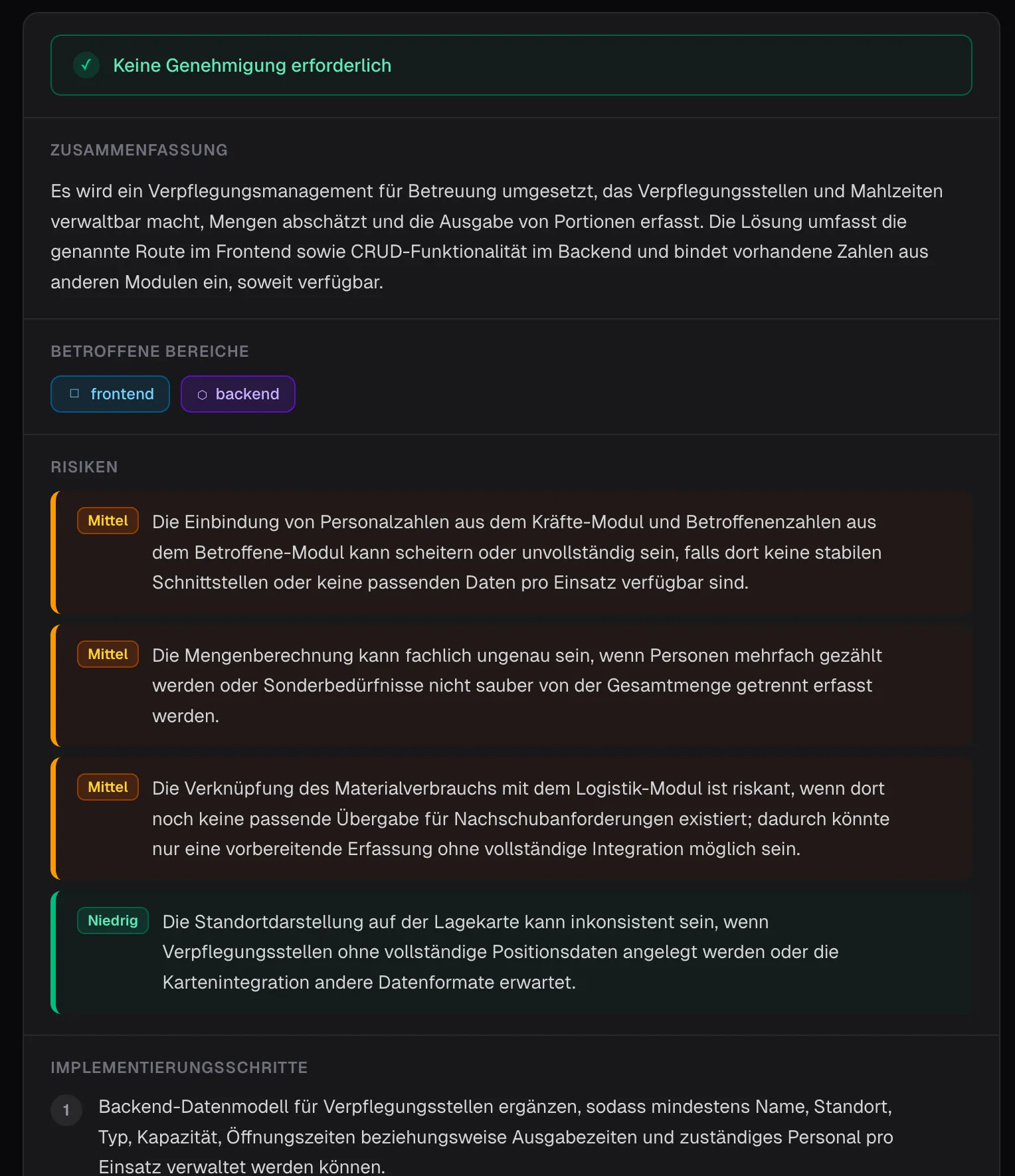
As a first step, I just wanted the data presented a bit more nicely. So far so good - so how about an implementation canvas?
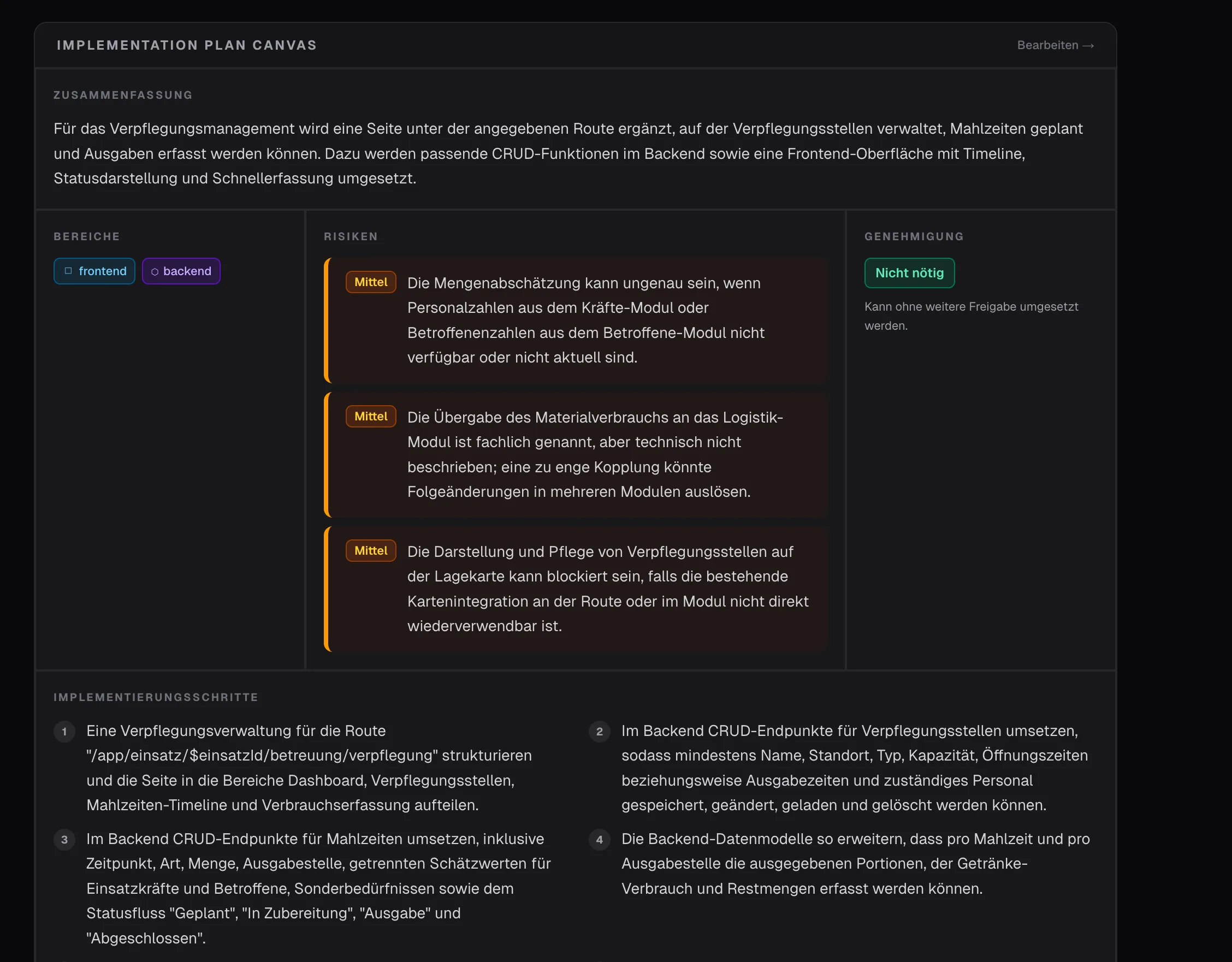
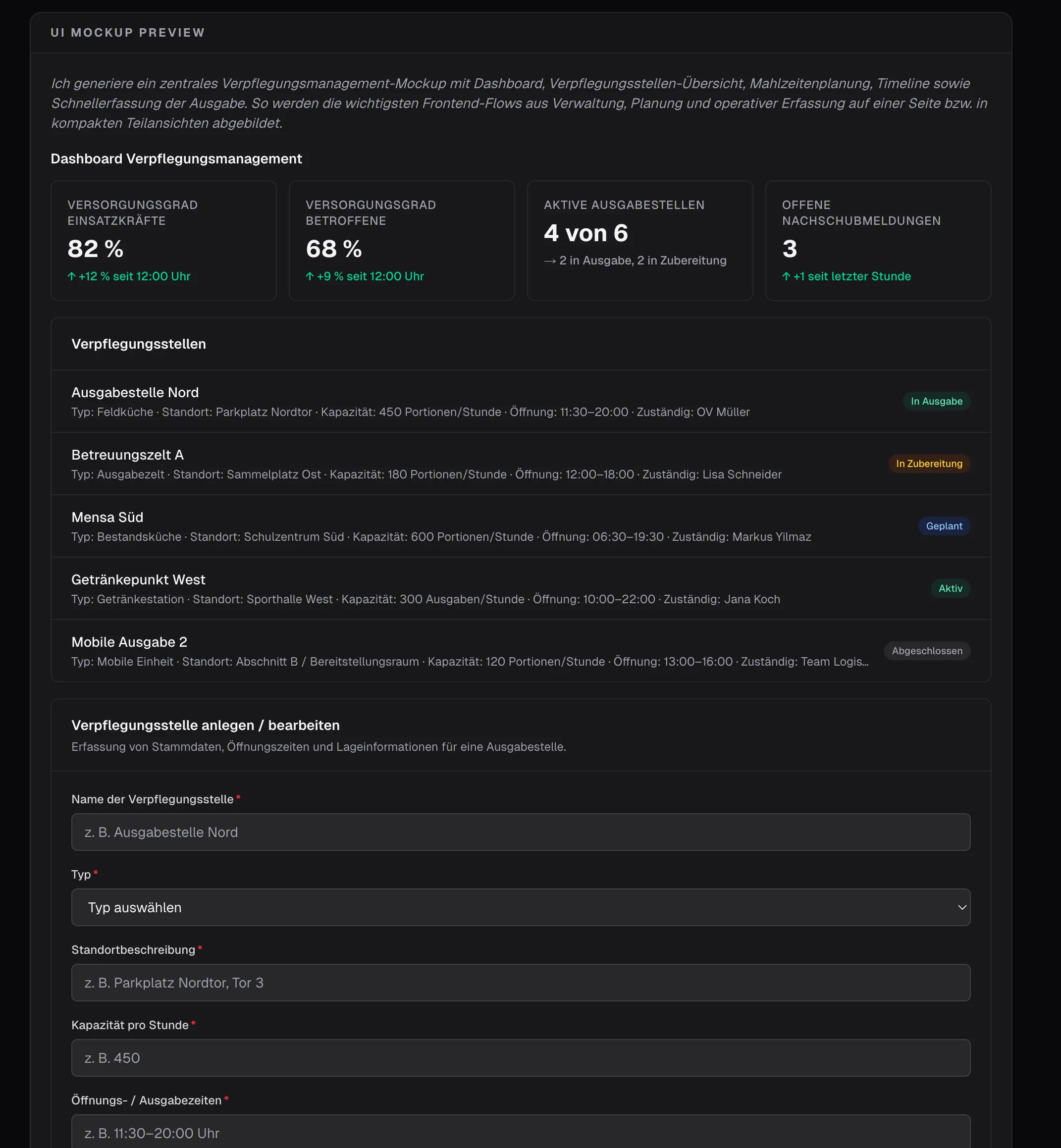
Another way to display it - with the option to edit the content - but how do we create real added value? If the task includes frontend work… shouldn’t we generate a mockup right away? No sooner said than done…
Ohh, I love Agentic Engineering.
Prompt engineering is still useful. But as soon as model output carries real product logic, I mostly need three things: contracts, evals and telemetry. That’s exactly where AI systems engineering begins for me. And with exploring new interaction patterns.
